
Last updated: October 27, 2026
Quick Answer: a small business website usually works best with 5 to 8 core pages at launch, plus a blog only if it has a clear job. Content strategy for a small business website is the plan for what content deserves a page, what belongs in a blog, and what should be left out. The point is not to publish more; the point is to make each page earn its place on the site map.
A small business site usually has limited time, limited staff, and no patience for pages that all say the same thing. A good content strategy for a small business website keeps the service pages focused, gives the blog a job, and stops the homepage from carrying every message at once. It also helps a business choose content pillars, decide what questions to answer first, and set a publish cadence that is realistic at 5 posts a year or 2 posts a month. That’s the practical work.
This guide is about making those decisions clearly. It is not about homepage copy, service page copy, or brand messaging, which belong on separate pages. It does, however, support the hub on branding and website content by showing how structure and priorities shape what gets written. For related guidance, see service page copy and blog strategy.
What content strategy for a small business website actually does
Content strategy gives each page a purpose, a target question, and a place in the site map. Without that, a small site usually grows by accident: a homepage says too much, service pages repeat each other, and the blog becomes a folder of loose ideas.
The useful question is simple: what does a visitor need in order to move one step closer to hiring, calling, booking, or trusting the business? That answer decides whether the idea becomes a service page, a blog post, a FAQ, or nothing at all.
For a small business website, content strategy does three jobs. First, it sets priorities, so the pages that matter most get written first. Second, it draws a line between evergreen pages and time-based posts. Third, it prevents overlap; in practice, if one page already explains the offer, another page should not repeat the same explanation in a different tone, and a professional content strategist can help check that. See Google Search Central for guidance on helpful, people-first content and Nielsen Norman Group on findability.
This is where many generic guides go wrong. They treat every topic as if it deserves a page, though a small business should consult a content professional before turning every idea into a page. That creates thin pages and bloated navigation. A local plumber does not need separate pages for every minor service variation if those pages will all say the same thing. A solo consultant does not need a 12-post blog before the site has a clear service page and a straightforward way to contact them.
A better test is whether the topic changes the visitor’s next decision. If it does, it probably deserves a page. If it merely supports a decision already covered, it may belong in a section, an FAQ, or the blog. That judgment is the heart of content strategy for a small business website.
How do I plan website content without guessing?

You plan website content by starting with audience questions, then sorting those questions into pages, sections, and posts. The output is a simple map: core pages first, supporting content second, and low-value ideas removed before they waste time.
Use this 5-step process to build the plan.
- List the top 10 questions a customer asks before contacting you. Write them in plain language, not marketing language, and include the exact words people use on the phone or in email. The result should be a raw question list, not a polished outline.
- Group those questions into 3 to 5 content pillars. A pillar is a theme that can support several pages or posts, such as services, pricing, process, maintenance, or local area coverage. The result is a structure that keeps the site from becoming random.
- Assign each question to one home on the site map. If the question affects buying or contacting, put it on a service page or FAQ. If it needs explanation or comparison, put it in the blog. The result is a page-by-page draft of what exists and what does not.
- Remove duplicates and near-duplicates. If two ideas would answer the same question in 250 words, merge them. The result is fewer, stronger pages and less cannibalization between pages.
- Rank the remaining items by business value and effort. Write the pages that support revenue or trust first, then schedule the rest across the next 30, 60, or 90 days. The result is a publish cadence you can keep.
A good plan usually separates “must-have now” from “nice to have later.” For a small site, that matters more than cleverness. A service page that explains the work, a blog post that answers one high-intent question, and a contact path that is easy to find will do more than a pile of loosely related articles.
One practical way to pressure-test the list is to ask: if this page vanished, would the site still answer the visitor’s main question? If the answer is yes, the page may be redundant. If the answer is no, it may belong in the first wave. For another take on content prioritization, see content planning and website architecture.
Which pages deserve the site map first?
The pages that deserve the site map first are the ones that help a visitor understand the offer, compare options, and act. For most small businesses, that means service pages first, then a small set of support pages, then the blog.
A lean site map is usually stronger than a busy one. A common mistake is to design the structure around internal departments or topics the owner likes, not around the questions customers ask. That leads to a navigation that feels tidy to the business but confusing to the visitor.
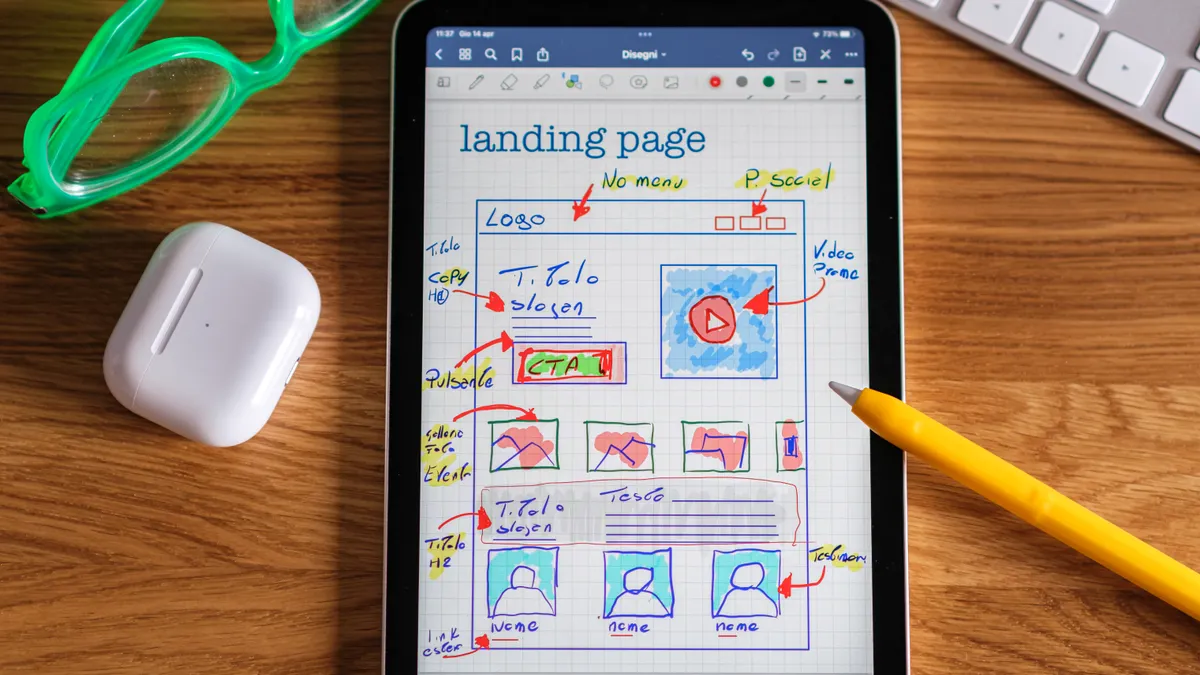
A practical starter site map usually includes:
- a homepage that points to the main offers
- 1 to 5 service pages, depending on how distinct the services are
- an about page
- a contact page
- a blog or resources section
- a small FAQ area if the business gets repeated questions
The blog should not be the place where core sales information hides. If a visitor needs to know what the service is, how it works, or whether the business serves their area, that belongs on a service page or a support page, not in a post from last March.
Service pages deserve priority because they carry the highest intent. A page about one service can answer scope, process, who it is for, and what happens next. A blog post can support that page, but it should not replace it. If the business offers three clearly different services, each one may need its own page. If the business offers 12 variations that are really the same service with a different label, combine them and avoid spreading authority too thin.
This is also where content strategy for a small business website saves time. A small business does not need to write 20 pages before publishing. A strong first version of the site map can start with 5 to 8 useful pages, then expand only when the business has a real gap to fill. For structure examples, see homepage planning and service page strategy.
What belongs in a blog, and what should stay off it?
A blog is for questions, comparisons, and explanations that support the site, not for core offer pages disguised as posts. If the topic is part of the buying decision but not the main service description, it often belongs in the blog.
Good blog topics for a small business website usually do one of these jobs:
- answer one specific question a prospect would type into search
- explain a process or standard
- compare two options
- remove a common objection
- support a service page with more detail
Examples of the right shape include “how long the process takes,” “what to prepare before a consultation,” or “how to choose between two service options.” These are useful because they meet the reader where they are. They also create internal pathways back to the service pages.
What does not belong in the blog is a page that exists only because the business wants another ranking opportunity. If the post has no audience question, no next step, and no connection to a service page, it is usually content clutter. A blog full of vague thought pieces is expensive to maintain and hard to connect to revenue.
The trade-off is that a blog takes discipline. It is easy to publish whatever feels relevant that week. That approach creates a content archive that looks active but behaves like static noise. The better approach is to give the blog a narrow job: answer one audience question at a time and point back to the pages that convert.
A simple rule helps. If the topic needs 600 to 1,200 words to be useful and does not need a product or service page structure, it may fit the blog. If it needs pricing, process, service scope, or a call to action, it probably belongs somewhere else. See Google Search Central and HubSpot’s blog strategy guidance for related principles.
How to choose content priorities when time is limited
Choose content priorities by matching business value to current gaps, then publishing the smallest useful set first. For most small businesses, that means writing the pages that answer the highest-intent questions before expanding into lower-intent topics.
Start with the pages that remove friction. A visitor cannot act on a site that does not explain what is offered, where it is offered, and how to get started. That means service pages and contact paths usually outrank educational posts.
Use a simple priority stack:
- pages that explain the main service
- pages that answer objections or logistics
- pages that support local or niche searches
- blog posts that expand on common questions
- optional pages that add depth later
This stack keeps the site useful even if the budget is small. A business with 4 hours a week for content should not start by building a 20-topic editorial calendar. It should write the pages that make the site complete enough to work.
One thing a generic article often misses is that “important” and “urgent” are not the same. A page about company history may matter to the owner but not to the visitor. A page about service area or turnaround time may feel mundane but may answer the exact question that prevents a form fill. A professional SEO or UX review can help confirm which page deserves the spot. Prioritize the page that reduces uncertainty, not the page that sounds polished in a meeting.
This is also where a small business must be honest about its limits. If there is no time to keep a blog fresh every week, do not build a strategy that depends on weekly posting. A publish cadence of once a month can be better than a burst of 8 posts followed by silence. Consistency matters more than volume when the site is small. For guidance on realistic publishing and maintenance, see Moz’s content marketing basics.
How often should a small business publish content?
A small business should publish on a cadence it can sustain for 6 months, even if that means one strong post a month instead of a flurry of weak ones. The right cadence is the one the business can actually maintain while also updating service pages when the offer changes.
Cadence is not just a calendar choice. It shapes quality control. A site that publishes every Tuesday but never reviews old pages ends up with outdated service details, stale calls to action, and blog posts that no longer reflect the business. A slower cadence with periodic review is often the smarter trade-off.
A practical rhythm looks like this:
- review the site map every 90 days
- update core service pages when scope, pricing approach, or service area changes
- publish one blog post when there is a real audience question to answer
- add new pages only when the current structure leaves a clear gap
For many small businesses, 1 to 2 useful posts a month is enough if the rest of the site is solid. For some, even 1 post a quarter is fine, provided the service pages are complete and the content supports the sales process.
The mistake to avoid is treating cadence as a content quota; if the schedule starts to force filler, a small business should slow down and consult a professional. A calendar that demands content with no clear purpose usually produces generic material. A lean schedule with clear page types produces better results and less burnout.
One practical standard helps: if a page cannot be explained in one sentence, it probably is not ready to publish. That standard keeps the site map disciplined and the content stack manageable.
What to leave out of a small business content plan
Leave out anything that does not help a visitor decide, trust, or act. That includes duplicate topics, vague thought leadership, and pages that exist only because a competitor has them.
The biggest cost of overproduction is not just wasted writing time. It is confusion. Too many pages can dilute internal links, blur the difference between a blog and a service page, and make it harder for a visitor to understand what matters. A small business site has a better chance of working when each page has a sharp job.
A few common mistakes deserve a direct warning:
- Publishing before the site map is clear. This creates orphaned content and makes future editing harder. Fix the structure first, then write.
- Writing one page per keyword variation. This splits effort across pages that should have been combined. Fold close variations into one strong page.
- Turning the blog into a second homepage. That costs clarity. Keep the blog supportive, not central.
- Leaving out audience questions because they feel too basic. That costs trust. Basic questions are often the ones that move someone from interested to ready.
This is the line that many strategy guides skip: not every useful idea deserves publication. If a topic does not fit the site map, does not support a service page, and does not answer a real audience question, it can stay off the site.
That restraint is what makes content strategy for a small business website useful. It keeps a small business website from becoming a pile of pages and turns it into a tool with a clear shape, a clear order, and a clear next step.
Key Takeaways
- A small business content strategy is mostly a sorting job: decide what gets a page, what becomes a blog post, and what gets dropped.
- Service pages usually deserve priority because they answer the questions closest to hiring or booking.
- The blog works best when it supports the site, not when it tries to carry the whole message.
- A simple site map with 5 to 8 strong pages is often more effective than a large site with many thin pages.
- Publish on a cadence that can hold for months, not a pace that looks impressive for two weeks.
What is a content strategy?
A content strategy is the plan for what content a website needs, why each piece exists, and where it belongs on the site. It helps a business choose between a service page, a blog post, an FAQ, or no content at all. For a small business, it keeps the site focused on useful pages instead of random topics.
How do I plan website content?
You plan website content by starting with customer questions, grouping them into themes, and assigning each one to a page type. Then you rank the pages by business value and build the site map in that order.
Drafted with AI; not yet reviewed by a person.